

Learn how to use a pull request template to ensure code authors provide meaningful code review descriptions. Pull request templates help populate your pull request (PR) with the correct information, so code authors remember what’s important to explain about their PR. A good code review description significantly reduces the review burden for the code reviewer, and is a code review best practice.
Reducing the reviewer burden
If you have ever done a workshop or coaching session with me, you will know my mantra of “reducing the reviewer’s burden.” This means it’s essential for a great code review experience to make code reviewing as easy as possible for the reviewer. Today, I’ll show you how you can use code review templates or pull request templates to help the code reviewer to understand the pull request. In addition, pull request templates are a memory aid for the code author.
You have probably seen it before: a pull request with several files changed and only the sparse PR title. Maybe the description consists of strangely worded commit messages, which will not help you understand what is going on in this pull request.
Why does this happen? Why didn’t the code author take the time to describe the change in more detail?
Code authors are the expert on the code change
The answer is that the code author is the expert on the code. They spent a lot of time deeply engaged with this code and the problem behind it.
Independent of whether they spend two hours, two days, or two weeks, they know much more about this piece of code than the code reviewer will most likely ever learn about it during code review.
Being an expert can be a disadvantage. This disadvantage is called the expert blind spot. The expert blind spot describes the phenomenon that an expert has difficulty assessing whether something is easy or hard.
Because of this, the code author will often assume that the review of their code is easy. Three files and 50 lines changed — that’s trivial to review in the mind of the code author. Therefore, code authors often do not write code review descriptions; and if they do, they only write extremely brief ones.
Are code review descriptions unnecessary?
In a study about code reviews I led at Microsoft, we asked code authors if they think sparse code review descriptions are sufficient to understand the code. The majority of the engineers said that, indeed, there is no need for a lengthy code review description. The few words or sentences are sufficient for the code reviewer to understand the change.
Yet, when we observed and interviewed code reviewers, we saw that this was not the case. Code reviewers struggled to understand the code, and were missing a lot of context that the code author could have easily provided.
We also saw that code reviewers that were given a good code review description which included the reasons why a change was needed, were more motivated and gave better feedback than code reviewers that lacked this information.
But is it enough to link to the issue?
When I ask developers to include better code review descriptions, many argue that they did link to the issue, and that this should really be enough information for the code author to understand this change.
While it is a good practice to link to the issue or ticket behind this change, it is not enough. Issues or tickets are made for the code author. They help track the status of the work. While they also often comprise a description of the problem, this description might be outdated. In addition, they lack several important pieces of information that a code reviewer needs to understand and assess the code change. For example, a ticket or issue seldomly or never describes which alternative solutions the author has tried before.
The code review description does not have and actually should not be a copy of the issue.
Instead it should briefly summarize information from the issue relevant to the code reviewer in the code review description. The majority of the code review description should contain information specifically created to aid the reviewer in understanding the change.
So, what is this exactly, you wonder?
What should a good code review description contain?
A good code review description contains the information the code reviewer needs to understand and assess the change.
You can provide the reviewer with the following:
- Explanation of the change
- the reason why this change is needed
- why you have chosen this solution approach
- which other solution approaches you considered and why you did not implement them
- Information on the quality of the change
- how you tested it, including important cases you did not test
- relevant automated checks and their results
- screenshots, recordings, logs, or before-and-after measurements where useful
- Guidance for the reviewer
- what should the reviewers look at
- where should they start the review
- where is the main change or risk
- whether the change needs a rollout, migration, feature flag, or rollback plan
Keep the template short enough that people complete it thoughtfully. A long checklist often becomes a box-ticking exercise. Use your continuous integration and repository rules to enforce checks that can be automated; reserve the description for context and evidence that only the author can provide.
In code review tools such as GitHub, GitLab, Azure DevOps, or Bitbucket, you can add a template that lets everyone know (code author and reviewer) what is expected from them. It’s also a great tool to make sure people remember what they should fill in and helps to overcome the expert blind spot.
Can you give me an example of a good pull request template?
Sure! For example, here is a screenshot of a minimalistic code review template from Spotify.
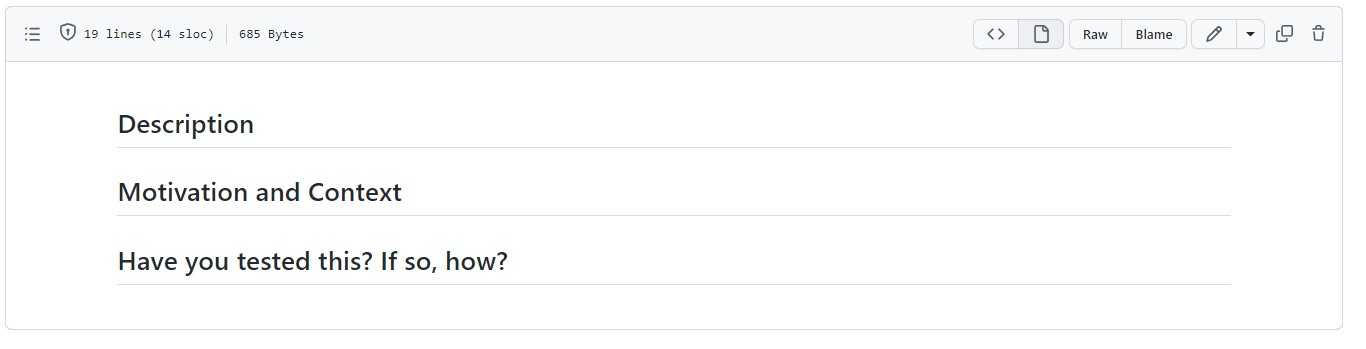
But you can of course include more helpful questions. I’ve created a GitHub template that comprises more template prompts, that you are free to use and tailor to your own needs.
“Pull request template”-Template ;-)
What does this PR do?
- Briefly summarize what this PR changes.
- Why is this change needed?
- Add Screenshots/screencasts of this change (if appropriate)
- Link the relevant issue, ticket, or decision.
- Which alternatives or tradeoffs should reviewers know about?
How have you tested your change?
Describe the tests and other evidence you used. Note anything you did not test.
- I added or updated relevant automated tests
- I updated relevant documentation
- I included screenshots or recordings for user-facing changes
What should the reviewer focus on?
- Where should the review start?
- What is the highest-risk or most complicated part?
- Do you have specific questions for the reviewer?
What should the reviewer focus on?
- Do you have specific questions for the reviewer?
- Where is the highest risk/ most complicated change that the reviewer should focus on?
- Is there a specific aspect the reviewer should focus on (e.g., correct error handling, API usage)
- What is a good place to start the review (e.g., specific file/method?)
- Does this need a migration, feature flag, monitoring, or rollback plan?
- Are there compatibility, security, privacy, or performance implications?
You can find more inspiration for your own code review templates here: PR template from theos, Pull request template from mysql, PR template from Ionic, and one from Apache. A sweet and short pull request template from Spotify Luigi, or another short PR template from Spotify’s backstage project.
How do you add a PR template on GitHub?
In GitHub, you can add one or multiple pull request templates to your repository. Create pull_request_template.md in the repository root, docs/, or .github/. For multiple templates, add Markdown files to a PULL_REQUEST_TEMPLATE directory in one of those locations. GitHub also supports organization-wide defaults through a public .github repository.
You can find a more detailed description,
including screenshots on how to create a pull request template here.
How do you add a merge request template on GitLab?
On GitLab, merge request templates are Markdown (.md) files in .gitlab/merge_request_templates/ in your repository. You can select a template when opening a merge request or name one Default.md to use it by default. GitLab also supports group-level and instance-level default templates. You can read all about GitLab description templates here.
How do you add a pull request template in Azure DevOps?
Azure DevOps repositories allow you to add pull request templates to pre-populate the code review description each time a PR is opened. Azure allows to create three different templates: a default template that is used for all new pull requests, branch specific PR templates, that are used whenever the PR is opened on a specific branch, and additional that can be added in addition by the person that opened the PR. Learn more about using pull request templates in Azure DevOps here.
How do you add a pull request template in Bitbucket?
Bitbucket Cloud repository admins can configure a default description in the repository settings. Bitbucket Cloud also supports a repository-managed Markdown template at .bitbucket/pull_request_template.md; this template is branch-dependent. See the Bitbucket pull request template documentation.
Can AI write the pull request description?
AI can create a useful first draft. GitHub Copilot can generate a pull request summary, GitLab Duo can summarize code changes into a merge request description, and Bitbucket Cloud includes an AI writing assistant for pull request descriptions and comments. Availability depends on your plan and workspace settings.
These tools are best at summarizing what is visible in the diff. They may miss the reason for the change, rejected alternatives, operational risk, or tests performed outside the repository. Treat the generated text as a draft: verify every claim, remove noise, and add the context only the author knows. Never paste secrets or sensitive ticket content into an AI tool, and follow your organization’s data-handling policy.
You can also use your template as a prompt for an AI assistant:
Draft this PR description using the headings in our template. Base factual claims only on the diff and test output. Mark missing intent, tradeoffs, risks, and manual testing as questions for me instead of guessing.
This combination works well: the template defines what a reviewer needs, the AI reduces the writing effort, and the author remains accountable for accuracy.
This article showed you how you can use the code review best practice of using pull request templates to improve your code review description. If found the article helpful, please share it with your friends and colleagues.
